//11 — penpot2react · v0.1 · /products/penpot2react
shipping · spike → productConvert a .penpot file to React + Tailwind. No Figma lock-in.
Convert a .penpot file to React + Tailwind. One CLI, one endpoint, no Figma lock-in. Drop the file in your browser, get JSX back — same renderer Elofyn uses internally.
Surface
1
POST endpoint · single + project
Output
JSX
React + Tailwind v4
Renderer
CLI
self-hosted · open source
Tier
Pro
bundled with Dev API
// 01 — One CLI · one endpoint
POST the file. Get the JSX.
The renderer started as a Python script at penpot2react.py — still the same code on the other side of the wire. Use the CLI locally or POST your .penpot to the hosted endpoint. The single-frame mode returns text/jsx; project mode returns a zip of components.
# 1. Convert a single frame to one self-contained component.
curl -X POST \
  "https://elofyn.com/api/dev/v1/penpot-to-react?mode=single&frame=Badge&page=5" \
  -H "X-API-Key: $ELOFYN_DEV_API_KEY" \
  -H "Content-Type: application/octet-stream" \
  --data-binary @design.penpot \
  > Badge.jsx

# 2. Or convert every top-level frame on a page into a multi-file project.
curl -X POST \
  "https://elofyn.com/api/dev/v1/penpot-to-react?mode=project&page=5" \
  -H "X-API-Key: $ELOFYN_DEV_API_KEY" \
  -H "Content-Type: application/octet-stream" \
  --data-binary @design.penpot \
> components.zip//02 — Live · drag & drop · 60 s
Drop a .penpot. See the JSX below.
Pick a frame name and a page index, drop the file in. We POST it to /api/dev/v1/penpot-to-react?mode=single with a sandbox key — no signup, no quota burn, same renderer that paints the Elofyn marketing components. The file is held in a tmp dir for the lifetime of the request, then deleted.
// POST /api/dev/v1/penpot-to-react · live
test key · no quota burn
// output surface · text/jsx
Loading drop demo…
// 03 — Sample output
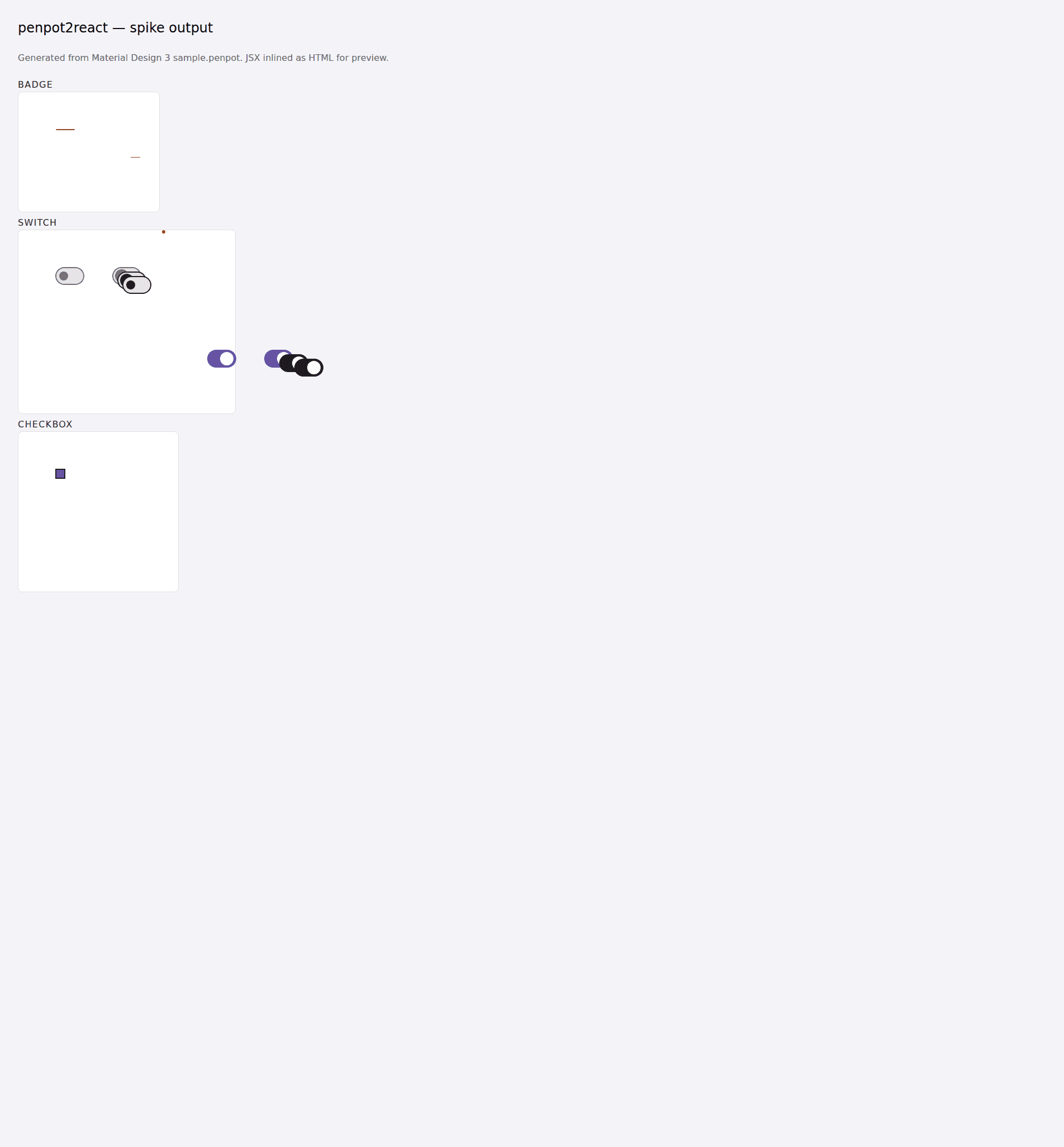
Material 3 Badge → 25 lines of JSX.
Self-contained components. No external CSS, no design-token lookup table, no per-component config to wire up. Tailwind v4 arbitrary values fall straight out of the Penpot geometry — paste the file into your project and it renders.
Step 1 · What comes back
Content-Type · text/jsx; charset=utf-8
// Generated by penpot2react.
// source: 'Material Design 3'
// page: 'Main components'

export function Badge() {
  return (
    <div className="w-[220px] h-[182px] bg-[#FFFFFF] relative">
      <div className="w-[36px] h-[16px] absolute left-[50px] top-[50px] flex flex-col items-center justify-start">
        <div className="w-[34px] h-[16px] bg-[#B3261E] rounded-[8px] flex items-center justify-center" />
        <div className="w-[36px] h-[16px] flex items-center justify-center pr-[4px] pl-[4px]">
          <div
            className="w-[26px] h-[14px] text-[11px] font-[500] leading-[1.2] tracking-[0.05px] text-center text-[#FFFFFF]"
            dangerouslySetInnerHTML={{ __html: "+999" }}
          />
        </div>
      </div>
    </div>
  );
}
Step 2 · What it renders
Side-by-side · spike fixture · Penpot v2 sample
// 04 — Coverage
Honest about what it does today.
v0 is a spike. Frames, groups, primitives and simple paths round-trip cleanly; assets, shadows, gradients, and component-v2 instances are in flight. If your design lives in any of the green rows below you can ship today; the orange and grey rows are the next iterations.
- frame · group
div with w/h + absolute left/top, or flex when layout: flex
works - rect · circle
div with fills, borders, rounded — rounded-full for circles
works - text
div with text-[..] font-[..] leading-[..], inline content
basic - path
inline svg with selrect-based viewBox · first fill
works - image
placeholder div — asset extraction in flight
skipped - shadows · blurs · gradients
ignored — single-fill substitutes only
skipped
//05 — Pricing & access
No new bill. Bundled under the Dev API.
penpot2react is the seventh endpoint on the Elofyn Dev Snippets API. v0 ships as a Pro-tier surface — you already have access if you’re on Pro or Scale. No separate billing, no per-seat pricing, no per-component fee.
- freeOpen-source CLI — clone the repo, run
python3 penpot2react.py. - pro · $49 / moHosted endpoint included alongside the other six Dev API surfaces. 25,000 calls / month.
- scale · $199 / moSame endpoint, 250,000 calls / month, priority queue for large project-mode zips.
// 06 — Ship it
One file in. One component out. No Figma plugin to install.
Penpot is open-source design software — your .penpot files belong to you, the renderer belongs to you, and the emitted JSX has no proprietary runtime to import. Found a shape we missed? Send the X-Request-Id and we’ll trace it.